
 Live Demo
Magento 2 Extended Product Grid | Mass Product Actions
Magefan Magento Extended Product Grid is a product management extension that enables multiple bulk editing and mass product actions in Magento, and adds custom columns to the default product grid. It allows you to bulk update any product attributes, prices (special, customer group prices), categories, quantity (including MSI), stock status, any text, related products, product images, custom options, and many other attributes directly from the grid or via mass actions.
Create custom Magento 2 product grid with custom columns, filter products by categories, created/updated dates and preview products on the frontend directly from grid.







Speed Up Editing with Magento Extended Product Grid
Magefan Extended Product Grid for Magento allows you to create a configurable product grid in Magento with multiple custom columns, mass product actions, and extended bulk editing options via grid or custom actions.

Bulk Edit Products in Magento. Directly from the Grid
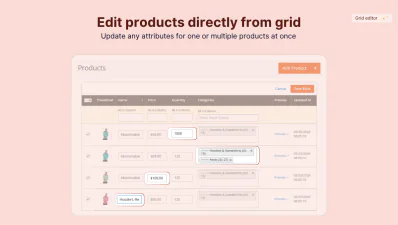
Bulk edit product attributes in Magento for one or multiple products directly from the grid using the Magento 2 Extended Product Grid. Select products, edit data in bulk and save.
- - Edit any product attribute in Magento — update any product attribute without reloading the page or opening individual product edit pages.
- - Grid inline editing for multiple products — select one product or a hundred and edit all of them in bulk, in just one click.
- - Change visibility or stock status in bulk — enable and restock products across your entire catalogue in a single bulk action without leaving the grid.
Edit and Remove Product Categories in Bulk
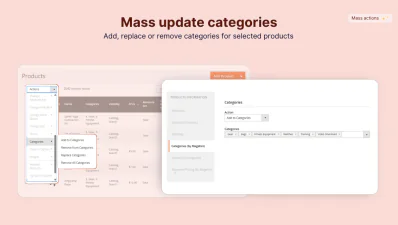
Add or remove categories for one or multiple products directly from the product grid or via a custom category management panel.
Magento Extended Product Grid allows you to bulk edit categories, assign or remove categories via the inline grid editing and apply categories to multiple products in one bulk action.
Use a dedicated category panel to add categories to a product, replace them entirely, or remove a product from every category at once.
Bulk Update Prices and Special Prices
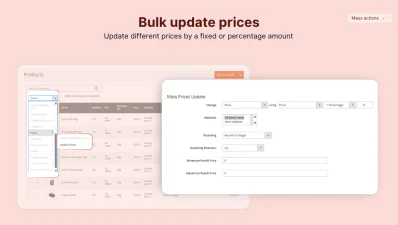
Use Extended Magento 2 Product Grid to update prices in bulk using price editing rules.
Apply price changes based on a specific price unit, add fixed or percentage amounts, and round off changed prices for one or hundreds of products.
- - Cost and prices - change basic pricing units directly in the product grid or via a popup.
- - Special price - set discounts for a specified time period and store views.
- - Minimum price and minimum advertised price - manage authorised manufacturer prices faster.
Mass Update Customer Group Pricing
Bulk update tier pricing in Magento for one or multiple products at once from the Extended Magento 2 Product Grid.
Select products, open customer group pricing via the grid or advanced pricing panel (mass actions) and set up the price rules.
Apply customer group prices for multiple customer groups using fixed or percentage amounts in a few simple clicks.
Add Custom Columns to the Product Grid
Stop relying on basics. The Magefan Extended Product Grid Extension adds everything you need to manage a catalogue more effectively directly to the product grid.
Preview products without leaving the admin and add custom columns to keep all important info visible:
- - Product categories
- - Created at/ updated at dates
- - Frontend preview button
- - Custom group pricing
Enhance Product Grid in Magento
Magento 2 Enhanced Product Grid preserves and extends Magento native grid to give you more control over how the grid is arranged.
- - Drag and drop columns - rearrange product grid columns to have key data in the centre.
- - Save grid templates - create and save custom grid layouts based on product attributes, types and filters you use most.
- - Add columns - show or hide product attributes to keep key important info visible.
Use Magento Mass Product Actions
Beyond bulk inline grid editing, Magefan Extended Product Grid for Magento adds multiple mass actions to a dedicated panel for faster and more convenient updates: text, stock, visibility, quantity, prices, related products, images, customer options, attribute actions and more.
Edit Specific Text Across All Products in Bulk
Stop making bulk product text changes and search via the database. Find, change, delete or add any text to any product page and field using the Magento 2 Extended Product Grid.
- - Select content area - bulk edit text in product names, descriptions, and metadata.
- - Choose action - replace, add after, add before, overwrite, or delete certain text in a selected product area.
- - Find and edit specific text - search for specific text, specify what to replace it with and preview the changes before applying them.
Bulk Change Product Attributes and Set
Magento Extended Product Grid allows you to apply, copy and rearrange attributes and attribute sets for products without re-entering every product page.
Copy one or multiple attributes from one product and populate across multiple products in one simple action.
Reassign the attribute set for one or multiple products in bulk without any individual edits.
Edit Product Quantity and Stock Status
Keep your catalogue accurate during restocking and clearance if you manage a single- or multi-source inventory (MSI).
Magento 2 Extended Product Grid helps you edit product quantity, saleable quantity, stock status and availability directly from the grid or via mass actions.
- - Change stock status - mark products as in stock or out of stock in bulk.
- - Change quantity and quantity per source - update product quantity and per-source quantities for multiple products at once.
More Tools in the Custom Magento Product Grid
Copy or remove custom product option
Copy or remove product images
Manage related, up-sell and cross-sell products
Why Do You Need the Magento Extended Product Grid?
Magefan Extended Product Grid with Mass Product Actions speeds up routine product management tasks like updating prices, quantities, changing stock status, assigning related products or categories. The mass product actions and grid inline editing tools enable bulk updates for hundreds of products without opening a product edit page. This significantly improves product editing and frees time for more important store tasks.
The most common questions about the Magento Product Grid Editor
How to filter product grid using category in admin?

How to get category name in product grid in Magento?
How to edit product name and SKU from product grid in Magento?
How to edit prices for multiple products in Magento?
How to bulk update stock for thousands of products in Magento?
How to install Magento 2 Extended Product Grid?
Alternatively, you can upload an extension archive to your Magento folder and run the composer update commands:
php bin/magento setup:upgrade php bin/magento setup:di:compile php bin/magento setup:static-content:deploy
How do I bulk edit product attributes in Magento?
How do I mass update product prices in Magento 2?
Key Features of the Extended Product Grid in Magento
Inline product editing
Mass product actions
Advanced filtering
Quick category editing
Mass price updates
Bulk quantity update
Advanced copying actions
Mass delete options
Real-time changes
Want to update product attributes from grid in Magento 2? Don't want to go from page to page updating product information for hours?
If the answer to at least one of these questions is yes, then Extended Magento 2 Product Grid is your solution.
