
Couldn’t find something?
It may well be that our online catalogue is not updated yet. We have a vast network of ingredients, our supply chain team will be happy to entertain any ingrendient enquiry.
Magento 2 Translation Extension is the all-inclusive Magento localisation tool that allows you to translate every element and page on your store into multiple languages directly from the admin panel.
It comes with the 3 powerful AI translation integrations, translation popups and forms, a missing translation scanner and glossaries to help you find, translate and edit any text on any store view.
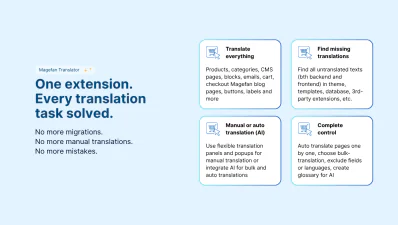
Translate any text on products, categories, pages, blocks, emails, blog, cart, and checkout manually, in bulk or automatically with the Magefan Language Translator for Magento.


 Live Demo





Magefan Translation Extension is a robust translation tool that offers something for everybody — from more flexible manual translations to automatic AI translation

Our Magento 2 Translation Module offers you controlled bulk translations and fully automated hands-free translation for Magento catalogue pages, blog, checkout and any third-party extension texts
Stop hustling between Magento translation services, manual translations and on-the-fly translation tools. They are hard to set up, control and maintain.
Magento Language Translator from Magefan offers you all-inclusive translations into 200+ languages.
Localise your entire store directly from the admin. No code editing. No headaches.
Add translations manually, or integrate AI translation tools for bulk auto translations. You have full control.
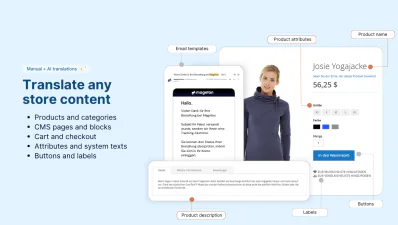
Magefan Translator offers you all-inclusive translations for every element on your store.
Translate, edit, update and easily maintain translations across all store views — from products and categories to customer area, cart, checkout and blog.
Make sure every title, description, attribute, URL, button, label, option, popup, banner or message is localised for each store view through translation forms or auto translation.
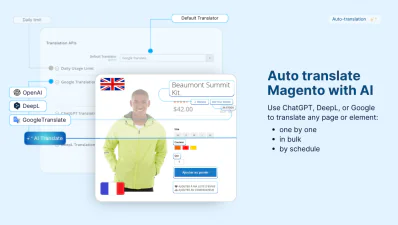
Magento 2 Translation Extension offers seamless integration with three powerful AI engines — Google Translate, ChatGPT, or DeepL so you can:
Although Google Translate, DeepL or ChatGPT handle the translations, Magefan Translation Extension does all the heavy lifting. This tool:
Just schedule the auto-translation of all or some specific entities for hands-free Magento translation.
Want a more controlled Magento localisation workflow with some automation? Use mass actions.
Select specific pages — products, categories, CMS pages, blocks, blog posts or categories — and send them for translation to all or specific languages (store views) in just one click.
Reduce manual work and save hours with the all-in-one Magento Translation Extension.
With the Magento 2 Translation Extension, you have full control over your translations. Choose what gets translated, how and when.
Scan your store automatically to find untranslated text in templates, theme, database, extensions, and emails. It’s all there — in the “Search and Translate”.
Use extended filters to find translations missing in:
Quickly edit or add missing translations for all store views from one grid.
No need to switch store views multiple times to translate or edit one product or category. Use Magento Translation Extension popups and forms instead.
Choose between an inline pop-up for quick changes of specific fields or form views for detailed updates.
Auto translate, review and edit your catalogue pages faster with Magefan.
Avoid translating the same phrases over and over again. Maintain consistency across the entire store, even if you have multiple store views.
Create and edit a reusable translation dictionary with common translations to speed up localisation.
Add a translation once. Magento Language Translator will make sure they are applied in all the right places.
It’s easy to lose track of what was changed and when with the Magento auto-translation running in the background. So we made sure it never happens.
Stay in control with a detailed log of every translation task — bulk translation or scheduled auto translation.
Monitor and adjust your strategy to improve automation over time.
Done Magento translation before on planning to migrate to a different instance? No problem.
Use simple import and export tools to migrate translations across stores, environments or languages.
Handle thousands of translations without manual editing.
Magento auto translation works based on the AI translation tools that enable you to translate any page or content via the “Auto Translate” button, mass translation action or translation schedule.

As a great alternative to Magento 2 Translate Inline Tool, our Magento 2 Translation extension allows you to add translations directly in the admin. All you need to do is to add the translation and choose the locale to add it for.
Can it be that easy? It surely can.
 Top
Top