

 Live Demo
Magento 2 Admin Action Log | Admin Activity Log for Magento
Magento 2 Admin Activity Log is an extension that tracks user activity in the Magento backend, including admin changes across all sections and every successful or failed login attempt. The extension logs every view, edit, create and delete action on products, categories, orders, shipments, config, custom modules or any selected admin sections or modules, with details and backtraces attached to every action. It also prevents users from overriding each other's changes by notifying them when someone has already edited, viewed or deleted a page within a specified period.
Magento Admin Log Extension also tracks every login action in a separate grid to help you quickly find unauthorised logins by IP and country.


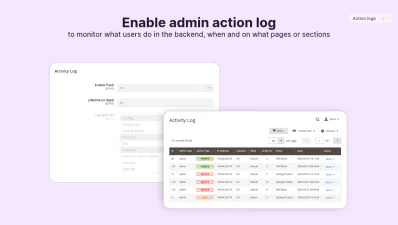
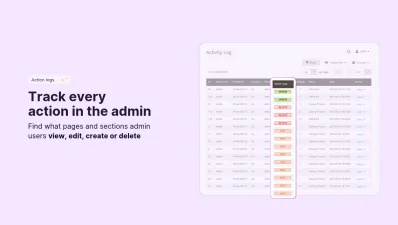
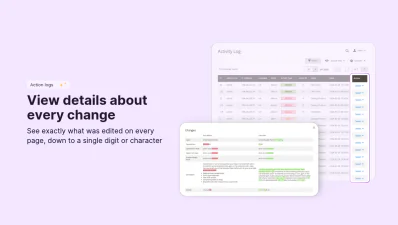





Track User Activity with Magento 2 Admin Action Log
Magefan Admin Actions Log for Magento offers complete visibility into everything that happens inside your admin panel, including every page and section from products and categories to config sections and custom modules.
Track Magento Admin User Backend Actions
Monitor all user activity in Magento backend via a dedicated activity logs panel. Every entry shows who made the changes, where it happened, when and from which IP address.
The Magento 2 Admin Action Log tracks every view, create, edit, and delete action across all pages, config sections and custom modules.
See what changed in any page, phrase, number or even a single character by clicking the View Details near each Edit entry.

Filter Through Every Change in the Admin
Find details on changes to products, categories, orders, shipments or other pages by filtering the activity log by:
- - Date - when the action was performed
- - Admin user and store - who made the changes in which store
- - IP address and location - where the action came from
- - User-agent - which browser and device was used
- - Action type - view, save, edit, delete, create
- - Entity type and object - specific pages or entities that were changed
Monitor Specific or All Admin Sections
Magefan’s Magento 2 Admin Activity Log gives you full control over the changes tracked in the admin panel.
By default, it tracks all admin actions. But you can change the settings to track only specific modules or sections, and exclude the rest.
Save bandwidth and track changes only for those sections you really need.
Prevent Editing Conflicts for Multiple Users
Prevent admin users from overwriting each other's changes and reduce editing conflicts with a page monitor.
Magento 2 Admin Log Extension monitors a page for recent activity within a specified period and shows a warning before an admin starts editing a page.
The notification tells the admin whether a page was recently viewed, edited or deleted by another admin user.
Limit Action Logs on User Roles and Permissions
Restrict admin user access to Activity Log and Login Log via user roles and permissions.
Makes sure only admin users with the right permissions can view recent changes and login activity.
Limit admins' access to the Magento 2 Admin Action Log configuration section.
Monitor Login Actions in Magento Effectively
Magento Admin Activity Log module protects your store from brute-force attacks and logs any suspicious activity before it causes damage. It tracks every successful or failed login attempt and shows you exactly where it came from.
Track Admin Login Activity
Detect any unauthorised login attempts in time to protect your admin panel from brute-force attacks and other malicious actions.
Magento 2 Admin Actions Log Extension stores all login attempts in one grid, so you can sort them by:
- - Result - successful or failed.
- - IP address and user agents - where the login was made from.
- - Location and date - the origin and time of the attempt.
Track Login Source Properly with Geo IP Detection
Monitor IPs and countries every login attempt is made from with three Geo IP databases: native Geo IP, MaxMind, and Cloudflare.
Track the source of every action or login attempt and by IP or country, if necessary.
Use a built-in location simulator to test Geo IP detection on login and actions logs in Magento.
FAQs
Does Magento have admin actions log by default?

How to track admin user backend actions in Magento?
How to get user product edit logs in Magento?
Can Magento 2 Admin Action Log track the changes in custom module settings?
Does this Magento Admin Log Extension work for multi-store websites?
How to configure action log in Magento 2 community edition?
Does this extension allows to block IPs or countries that try to login multiple times?

